Editing videos is not hard because of “skills”. It’s hard because of the empty timeline problem. You open an editor, dump 20 clips inside, and then you spend 45 minutes just sorting and stitching before you even get to the real creative work.
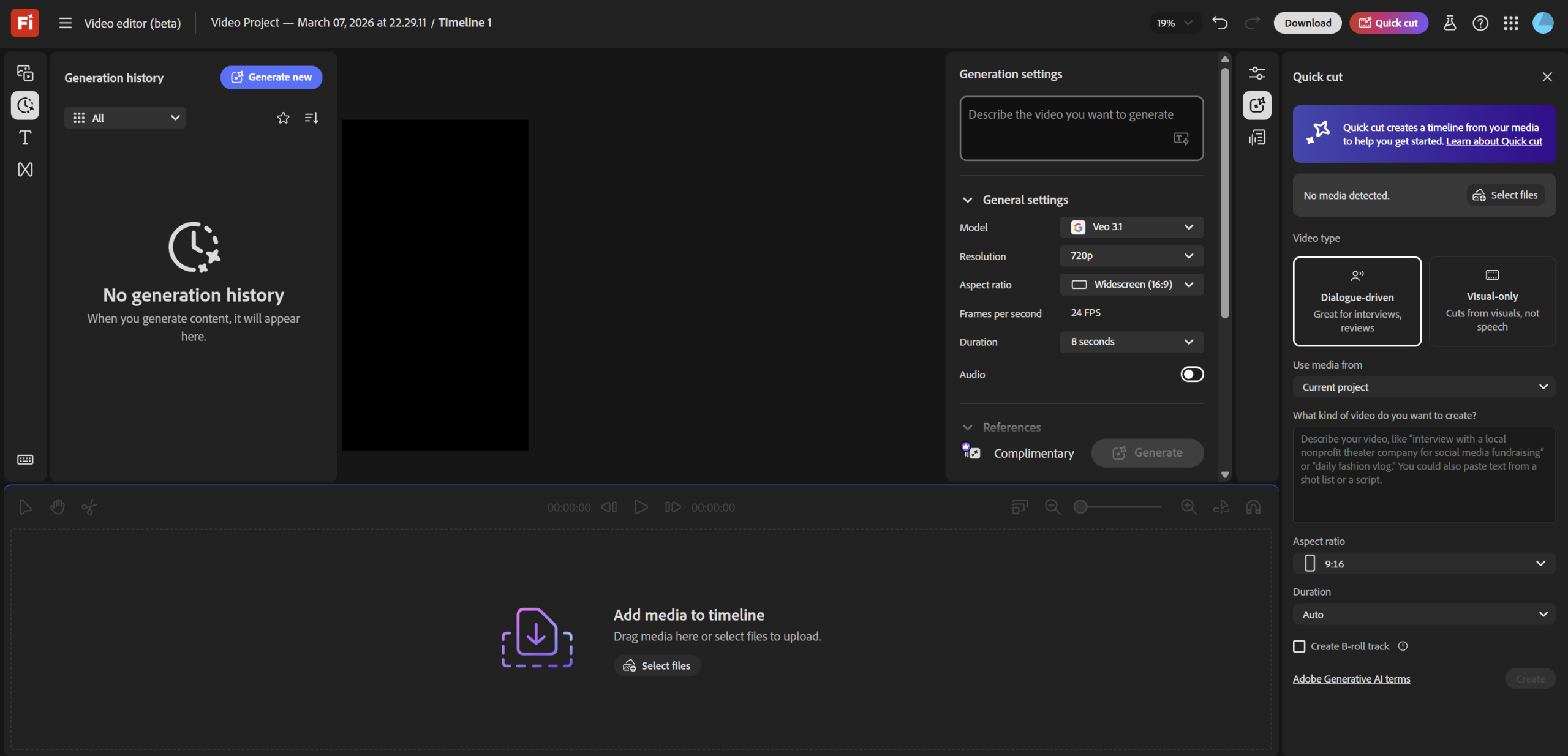
Adobe just introduced Quick Cut inside the Firefly video editor (beta) to solve exactly that: you upload your footage (and optionally B-roll), give the tool your intent, and it auto-assembles a structured first draft so you start with momentum instead of a blank canvas. Adobe describes it as using things like scene detection, shot selection, and audio analysis to build that initial cut.
Quick Cut is meant as a first cut you refine, not a final edit. You can also control things like video length and aspect ratio, and it supports editing via a transcription timeline (useful when you’re working with spoken content).
How this is genuinely useful in higher ed:This is not “content for content’s sake.” It’s about reducing production friction so lecturers and programme teams can ship learning assets consistently.
1) Weekly lecture recap videos (the student-friendly version)
Turn a long lecture into a 60-90s “what matters this week” recap. Quick Cut gives you the first assembly; you then tighten the narrative and add a simple “next action” line (read X, attempt Y).
2) Microlearning clips for LMS / Classroom
Take one concept (e.g., “price elasticity”, “perceived fairness”, “sampling bias”) and turn it into a short clip. Senang cerita: one idea per clip, students actually watch.
3) Student presentation highlights (assessment support)
For capstone/project-based modules: compile the strongest 30-45 seconds from student pitch recordings for reflection and improvement. (Of course, with consent and privacy-safe handling.)
4) Programme-level storytelling (recruitment + engagement)
Short clips of student activities, industry talks, competitions, innovation showcases. Quick Cut handles the rough assembly so your team focuses on story and messaging.
A practical workflow:
To generate a quick cut, Adobe’s guidance is basically:
• Go to Firefly → Edit video
• Upload your video/audio/image files
• Let Quick Cut create the starting draft, then refine inside the editor
Real-world educator note:
If you’re using real classroom footage: jaga privacy. Blur faces, avoid student names on screens, and use consented clips. Keep it professional.